Skip to content

Slooch is taking on its first schools for Term 1 2027.

Book a walkthrough

When you need it

School notices that are not lost in a group.

In a class WhatsApp group, Thursday's consent form sits under a morning of replies, and the teacher's personal number is on every parent's phone.

  • A father in a navy suit reading a message on his phone on a city terrace in the morning, office buildings softly out of focus behind him

    Slooch Notices

    Each notice is labelled with who it is for, stays on the family's list until it is done, and shows the office who has read it.
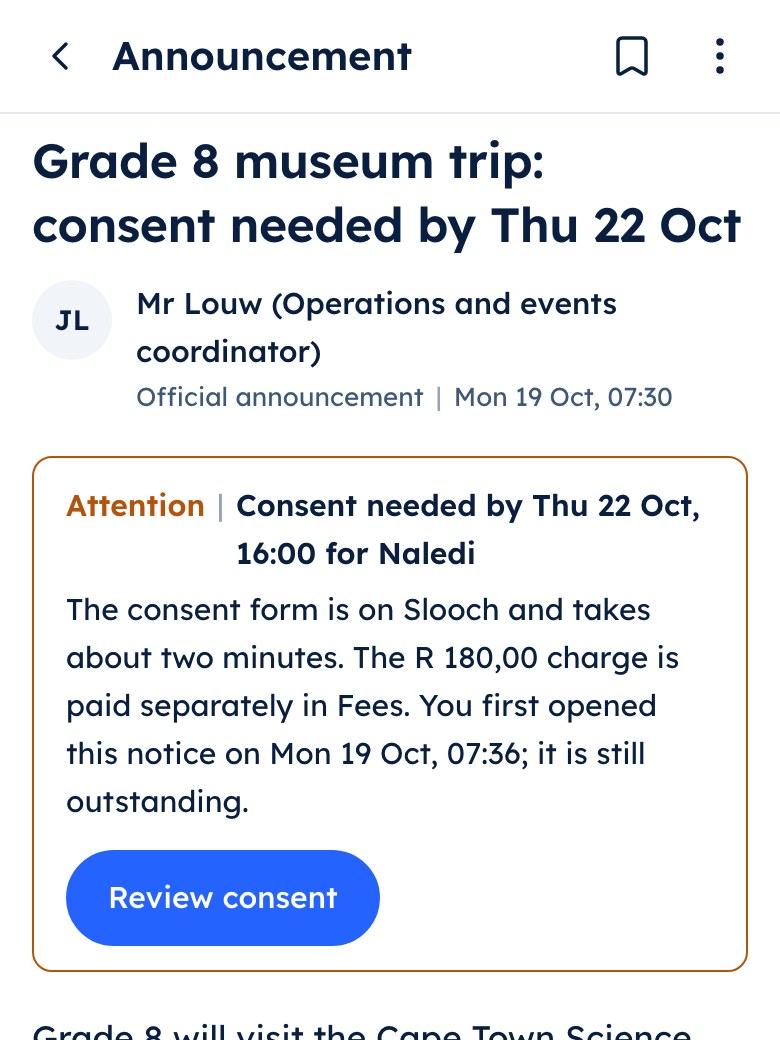
  • The parent app showing the Grade 8 museum trip notice with a consent form and a charge listed under it

    Slooch Documents

    Reports and letters arrive as the family's own documents, not as a photo in a group.

  • A mother standing at the counter of a bright, tidy kitchen reading her phone, the breakfast table and a child's chair beside her

    The family list comes across

    Connect needs only the family list, from an SA-SAMS export or a spreadsheet.

The parts

The parts that answer it

Slooch Notices

Who has read it, signed it and done it.

Each notice is labelled with who it is for, stays on the family's list until it is done, and shows the office who has read it.
How Slooch Notices works
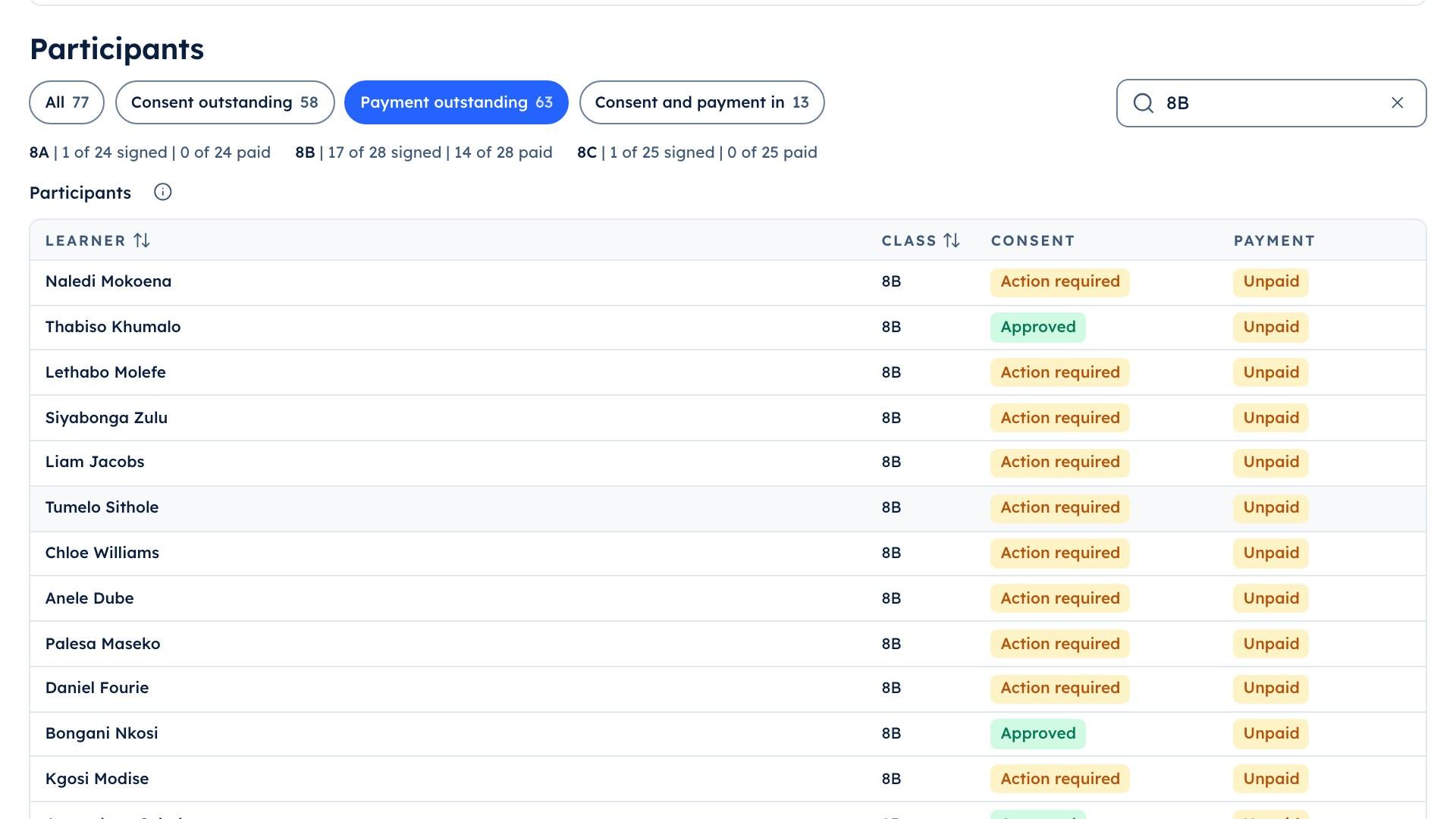
The school portal's trip list for 8B, showing the 14 learners whose trip payment is still outstanding

Museum trip | 8B

  • Paid 14 of 28
  • 14 still to pay

Slooch Documents

Reports and letters home, and who opened them.

Reports and letters arrive as the family's own documents, not as a photo in a group.

How Slooch Documents works
A father sitting on the arm of a grey sofa in a light, well-kept living room, reading something on his phone

Still to come

  • Each notice will go out on WhatsApp, email or SMS as the family chooses, from the school's one number.Planned
  • A family will sign or reply from a link without installing the app.Planned

How it works

How a school leaves the group

Step 1 of 4

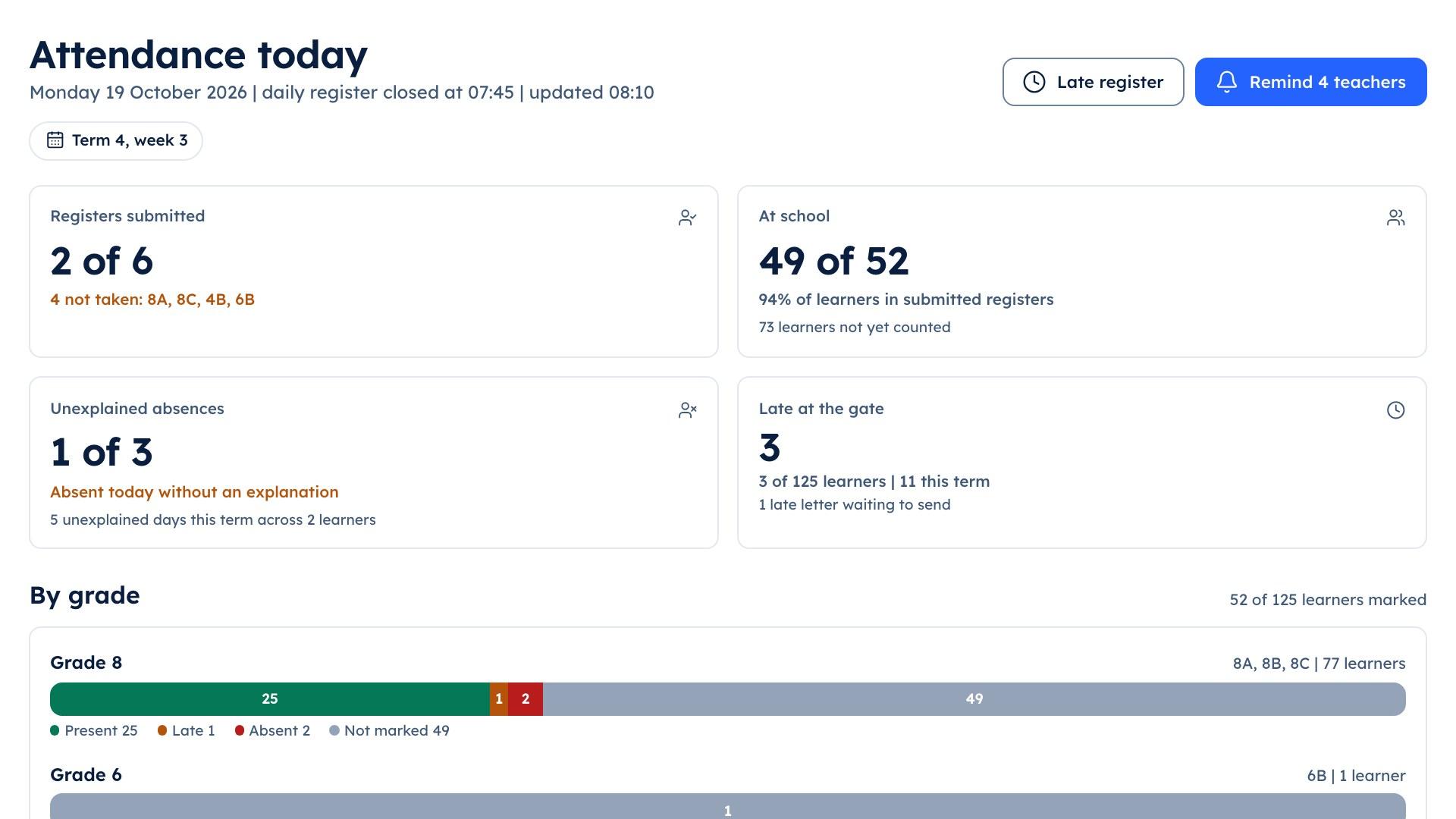
The school portal's attendance screen showing which class registers have been submitted

Step 1

The family list comes across

Connect needs only the family list, from an SA-SAMS export or a spreadsheet.
A receptionist with a tablet talking to a visitor across a clean white front desk

Step 2

Families are invited

The launch pack carries the letter, the WhatsApp text for the old group, the poster with its QR code and the welcome notice.
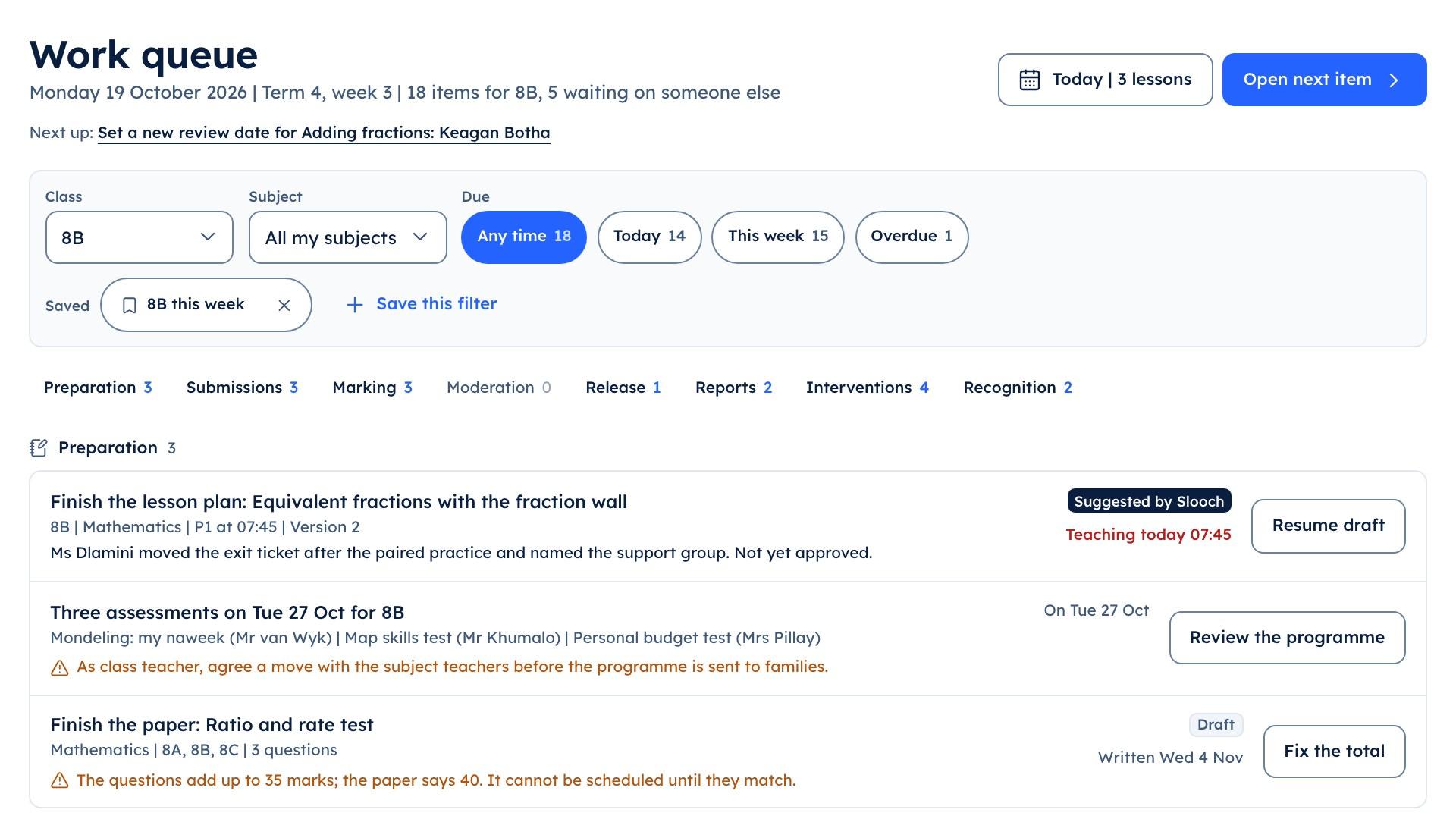
The teacher console showing marking work grouped by stage

Step 3

Notices move to Slooch

The office and the teachers send notices and forms from Slooch, each labelled with who it is for.
A senior teacher in a waistcoat talking with a learner in a sunlit school corridor, other learners further down the hall

Step 4

Messages move too

Parents message a teacher inside Slooch, and every reply box shows who reads the reply. The teacher's number stays private.