Slooch Fees
The bursar's books and the parent's statement agree.
Every charge, payment and statement matched and reconciled, with the bursar's books in step.




Overview
Arrears off the spreadsheet.
Charges sit on the notices families already read, and families pay by card or EFT. Each payment is matched to its charge, and each family sees one statement across all its children.
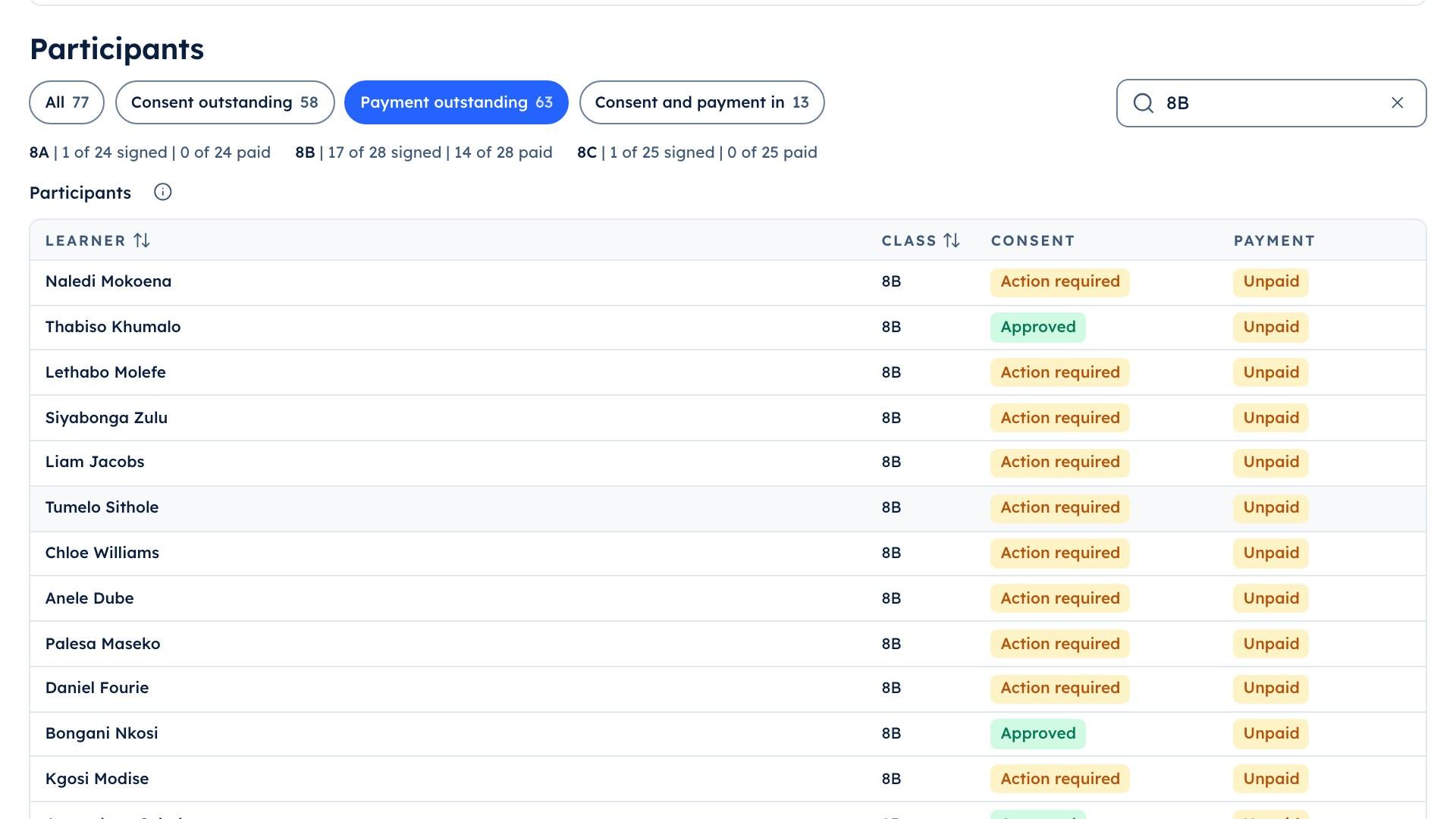
Trip payments | 8B
- Paid once matched
- A reminder to the unpaid only
What it does
What Slooch Fees does
Built is in the product today. Planned is not built yet, and is written as what it will do.
Every charge and payment matched for the bursar.
Charges under notices
BuiltA trip or a fee day carries its charge on the notice the family reads.Card and EFT
BuiltFamilies pay by card or EFT and upload proof of payment.Each payment matched
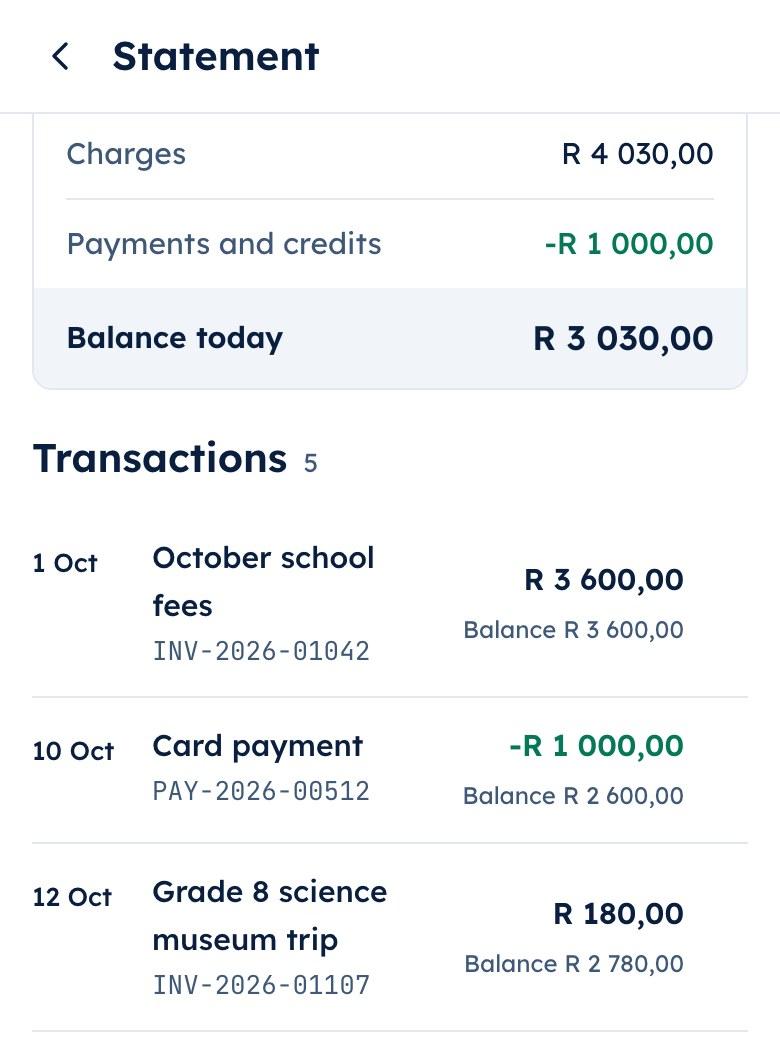
BuiltEach payment is matched to its charge and shows as paid only once matched.Statements per family
BuiltEvery family sees one statement across all its children.
Fees
- Debit ordersPlanned
- Payment links for guestsPlanned
- Invoices to othersPlanned
Reminders to the unpaid
BuiltA reminder goes only to the families who have not paid.The bursar's books in step
BuiltCharges and payments go to the school's Xero books.Class charges and contributions
BuiltA class charge is billed with nobody pre-ticked, and a contribution is never shown as owing.Arrangements
BuiltThe bursar agrees an instalment plan with a family and Slooch keeps to it.Debit orders
PlannedFamilies will pay school fees by debit order.Payment links for guests
PlannedA guest will pay for a ticket or an event from a link.Invoices to others
PlannedThe bursar will invoice people who are not families, such as for hall hire.
A payment counts as paid once it is matched.
Mr Peters matches each card and EFT payment to its charge. A started payment is never counted, so the arrears figure is the one the families see.
- Card and EFT, with proof of payment from the phone
- Arrangements kept to once the bursar agrees them
- Debit ordersPlanned

One statement for the family, across every child.
Each family sees one statement across all its children, with each payment and the charge it covered. The same charges and payments go to the school's accounting books, so the statement and the books agree.
- Class charges billed with nobody pre-ticked
- Contributions never shown as owing
- Reminders to the families who have not paid
How it works
How it works, in order
A trip charge on a Thursday at an example school.
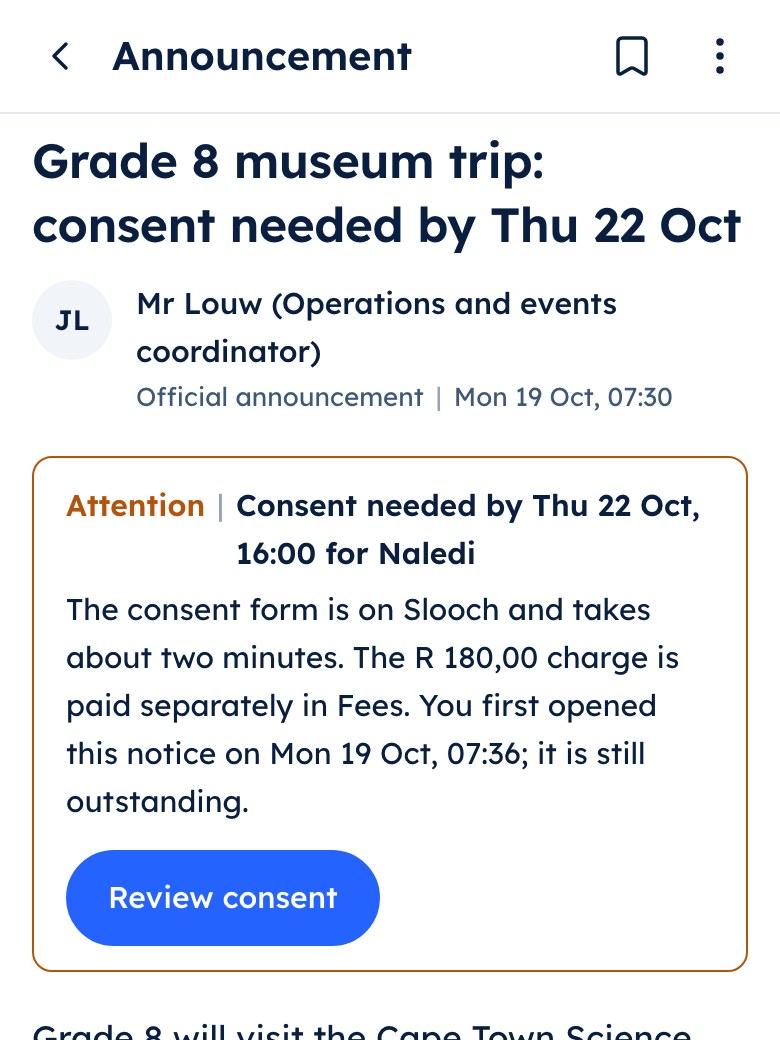

A charge goes out with its notice
Mrs Adams sends the Grade 8 trip notice with the trip charge under it, so families read, sign and pay in one place.Families pay
Lerato Mokoena pays by card from the notice. Another family pays by EFT and uploads the proof of payment from the phone.The bursar matches each payment
Mr Peters, the finance officer, matches the EFT payments to their charges. A payment shows as paid only once it is matched, so a started payment is never counted.The reminder goes to the unpaid only
Mr Peters sends a reminder to the families who still owe the trip charge, and to nobody else.The books stay in step
The day's charges and payments go to the school's Xero books, and each family's statement shows the same figures as the bursar's.
A school week
Moments from an example school week
On Monday the trip charge went out under the trip notice, so families could read, sign and pay in one place.
Monday | Slooch Fees
An example school week
Who uses it
Where each person sees it
Every part comes with the parent and learner apps, free for every family.
School portal
The bursar, in the school portal
Works with
SA-SAMS, d6, Ed-Admin and Xero are the names of their owners' products. Slooch is not affiliated with or endorsed by any of them.- Sends to XeroBuilt
- Reads from SA-SAMSBuilt
Charges and payments go to the school's accounting books. Learner and family lists come from the school's administration system.
Takes over
- Fee spreadsheets
- The fee-reminder process
- Manual bank reconciliation
Slooch runs beside what the school uses today, and takes over only when the school is ready.
Questions
Questions schools ask SA-SAMS, d6, Ed-Admin and Xero are the names of their owners' products. Slooch is not affiliated with or endorsed by any of them.
How do families pay?
By card or EFT, with proof of payment uploaded from the phone. Debit orders are planned.
When does a payment show as paid?
Once it has arrived and been matched to its charge. A payment that has been started shows as processing, never as paid.
Does Slooch send to our accounting system?
Yes, to Xero: charges and payments go to the school's books. Other accounting systems are not connected.
Can a parent see one statement for all their children?
Yes. Each family sees one statement across all its children, with each payment and the charge it covered.
Can we bill one class for an outing?
Yes. The bursar bills a class by choosing the learners the charge applies to. Nobody is ticked to start with, so no family is billed by mistake.
How do voluntary contributions show?
As optional. A contribution is never shown as an amount owed.
Can a family pay in instalments?
Yes. The bursar agrees an arrangement with the family, and Slooch shows each instalment as it falls due.
Will a reminder go to families who have paid?
No. A reminder goes only to the families who have not paid that charge.
Do learners see fees?
No. Fees appear only for parents and guardians with finance access, and for the school's finance staff.
Can people outside the school pay, such as for hall hire?
Not yet. Payment links for guests and invoices to people who are not families are planned.
The other parts
Every part reads and writes the same families, learners and staff, so adding one is a setting.
- NoticesWho has read it, signed it and done it.Channels planned
- DocumentsReports and letters home, and who opened them.Built
- RegisterEvery register taken, and the office's view by 08:00.Built
- AdmissionsFrom the first enquiry to the signed enrolment.Built
- SitesThe school's page, kept current by its notices.Full site planned
- AssessmentsSet, mark and give out for the whole grade.Built
- TimetableBuilt, checked for clashes and on every phone.Built