Skip to content

Slooch is taking on its first schools for Term 1 2027.

Book a walkthrough

For heads of academics

Set it once, mark the whole grade, release marks.

For the deputy with marks in home spreadsheets, reports in the last week of term and a timetable clash on day one.

  • A teacher's hands marking test scripts with a red pen on a white desk, a laptop beside the pile

    Slooch Assessments

    Every test, quiz and assignment set once for every class in the grade, marked at scale with Slooch's suggestions that the teacher reviews, and released to the learner, the parent, the mark schedule and the report.
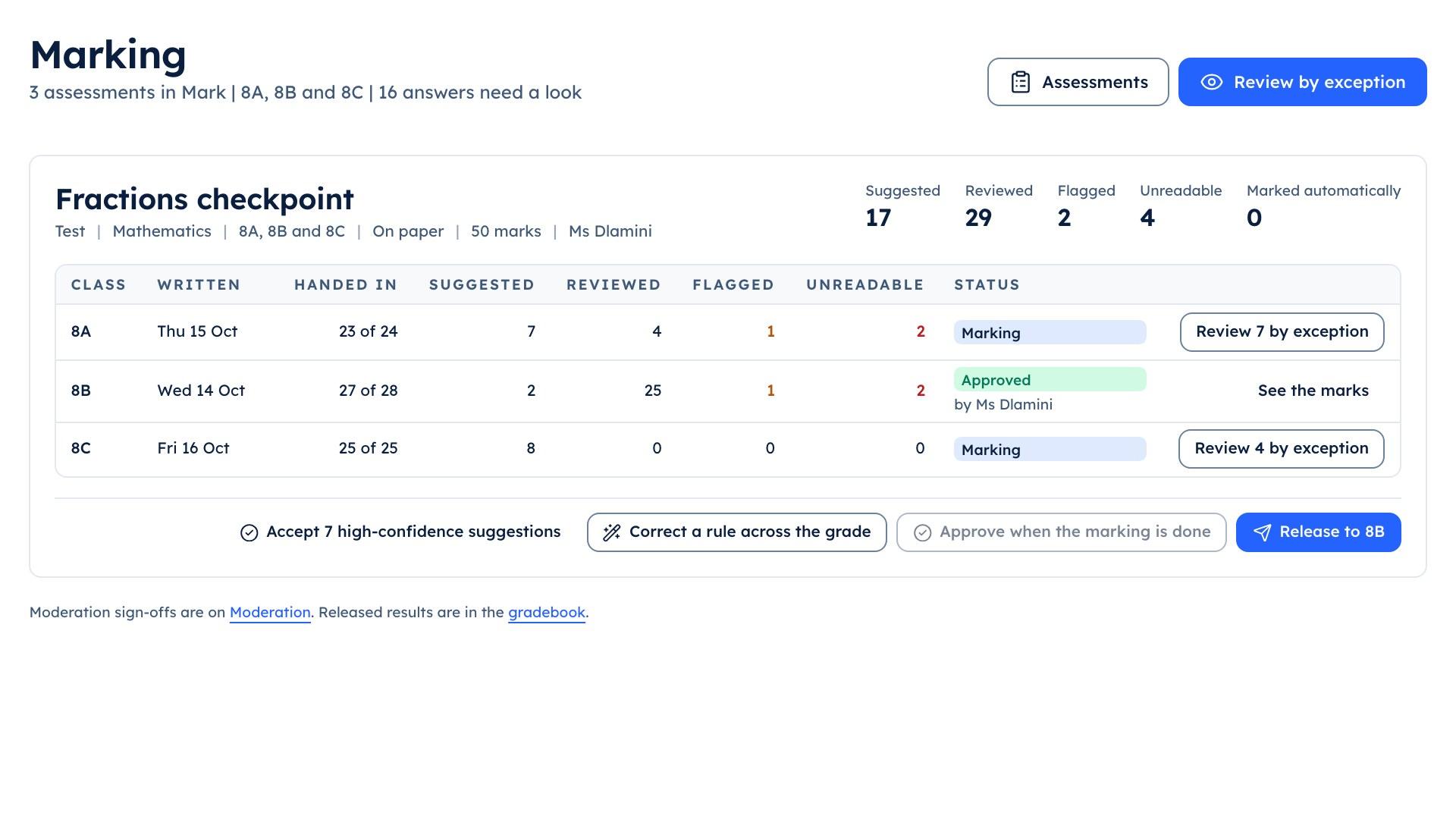
  • The teacher console's marking queue for the Fractions checkpoint across 8A, 8B and 8C, with suggested, reviewed and flagged counts

    Slooch Timetable

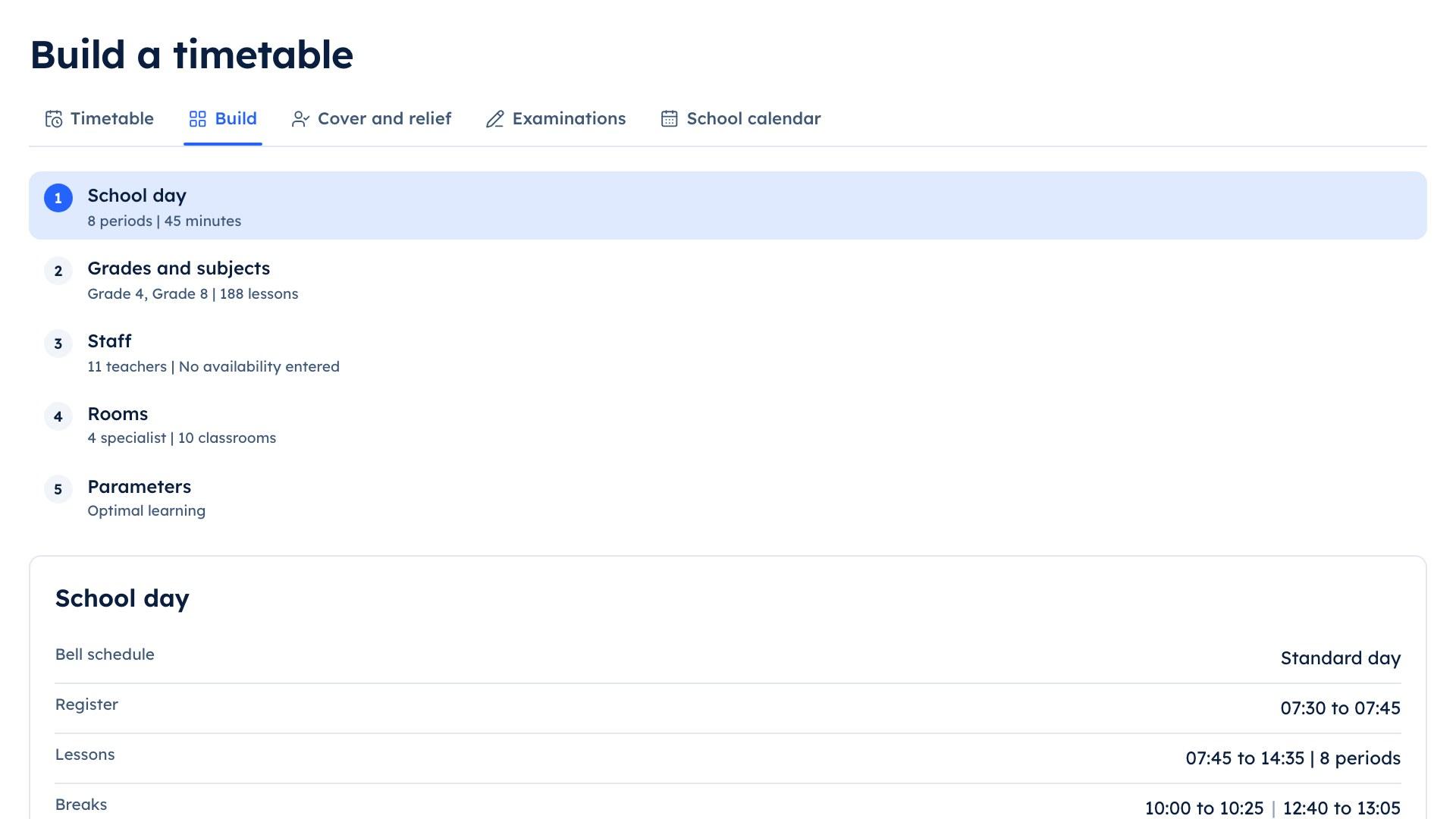
    The timetable built on a constraint solver and checked for clashes before it is published, with exam timetables and each learner's concessions.

  • Learners in white shirts and dark uniform jerseys working at single desks spread across a tall brick-walled hall with arched windows

    The programme sets the term

    The deputy and the heads of department place every test on the term's programme, and clashes are moved before anything is set.

The parts

The parts a head of academics champions

Mark it once, and everyone who needs it has it.

Slooch Assessments

Set, mark and give out for the whole grade.

Every test, quiz and assignment set once for every class in the grade, marked at scale with Slooch's suggestions that the teacher reviews, and released to the learner, the parent, the mark schedule and the report.

How Slooch Assessments works
Learners in uniform at classroom tables, a boy in a navy blazer and a girl leaning over a device together while two classmates talk behind them

Slooch Timetable

Built, checked for clashes and on every phone.

The timetable built on a constraint solver and checked for clashes before it is published, with exam timetables and each learner's concessions.
How Slooch Timetable works
The school portal's timetable workspace with the week's grid and its clash checks

Timetable

  • Checked for clashes

How it works

Assessments, from the programme to the report

Four stages on the teacher console: Set, Collect, Mark and Give out. At every stage Slooch suggests and a named teacher decides.

Set every test once, for every class

The deputy plans the term, and each head of department sets a test for the whole grade in one go.
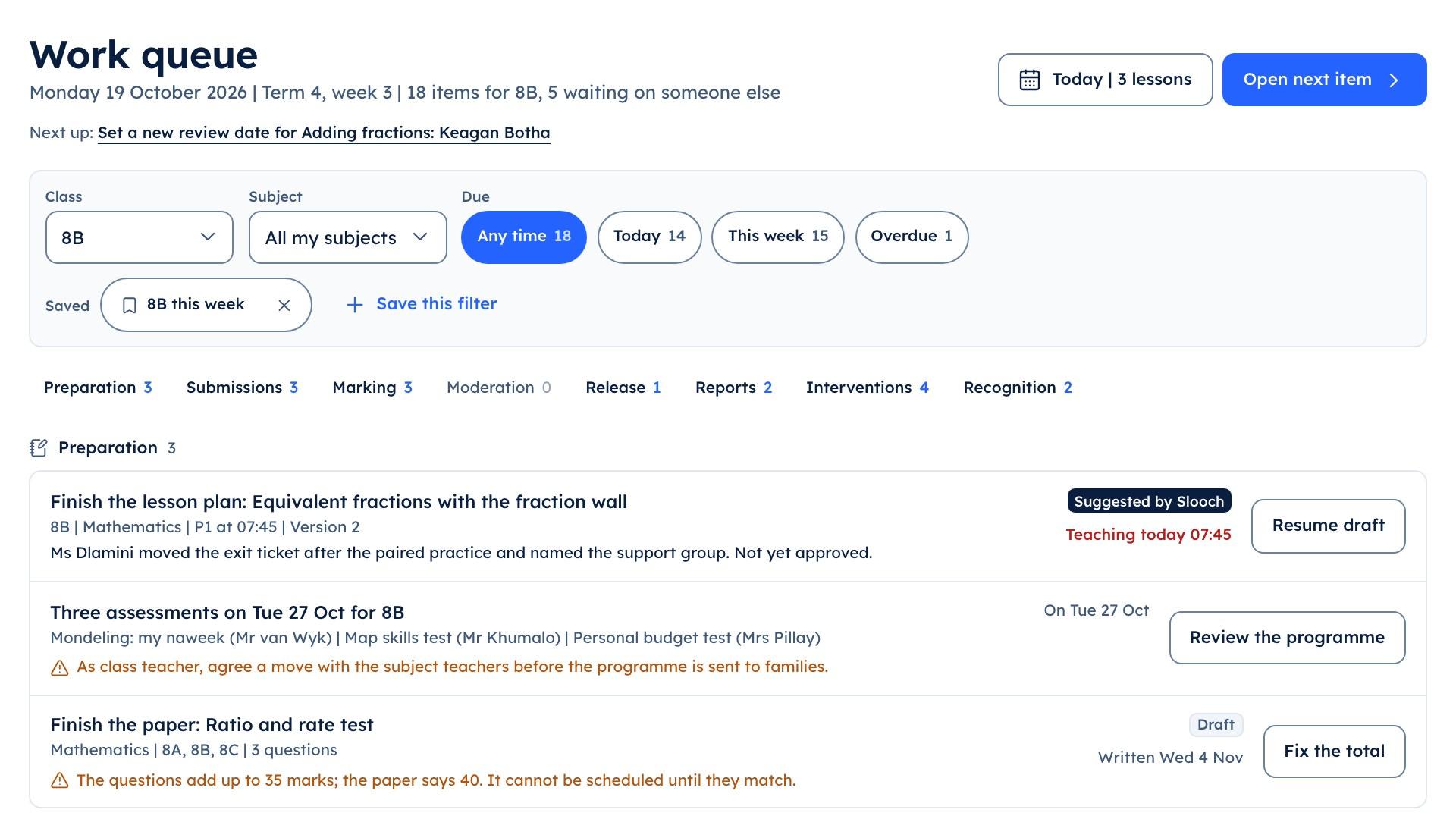
The teacher console showing marking work grouped by stage

Work queue

  • Awaiting marking
  • Marked
  • The term's assessment programme

    Built
    Every test, quiz and assignment for the term on one programme. A clash with another test on the same day shows before it is set, and the deputy moves it.
  • Drafted from the topic

    Built
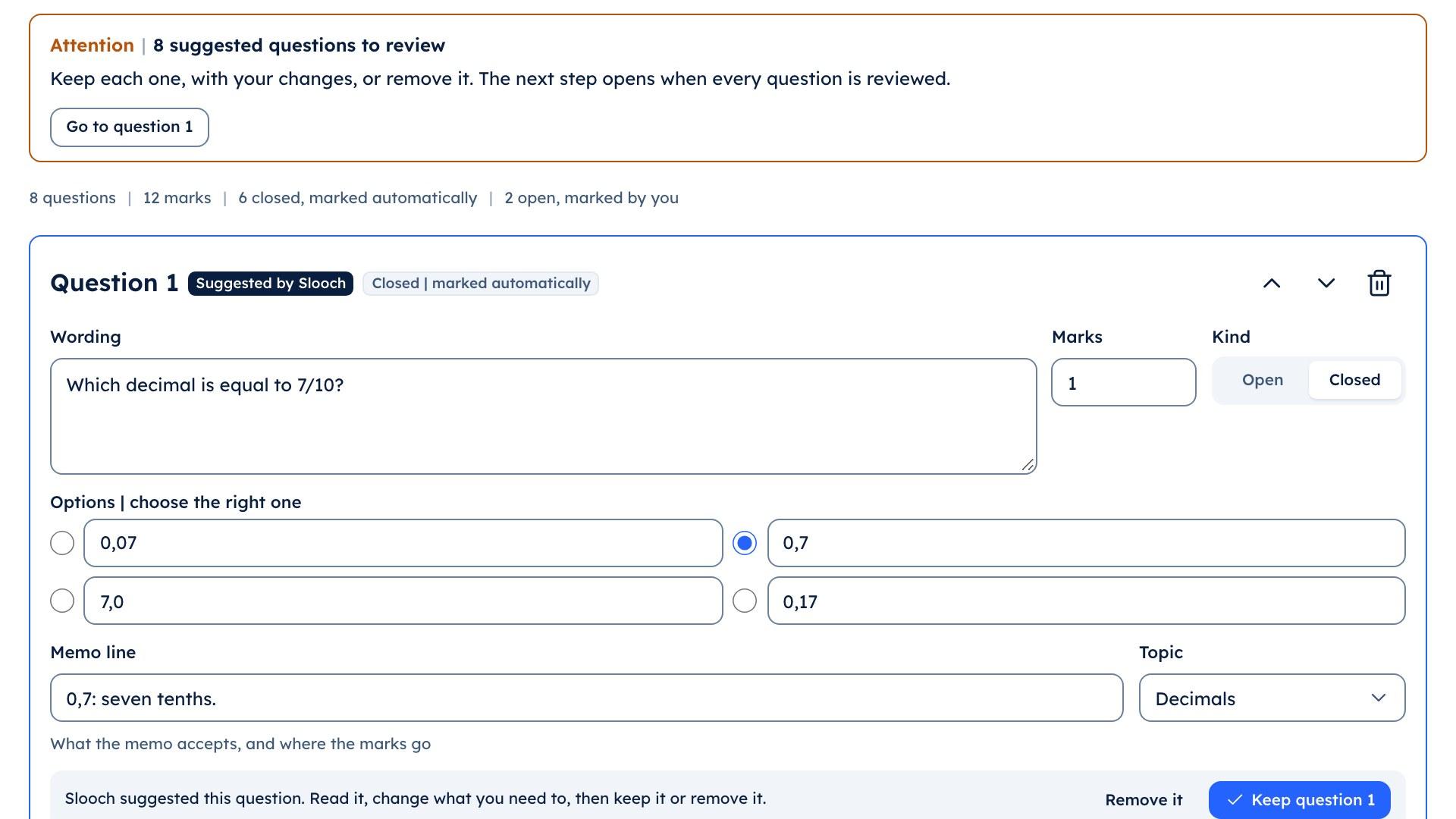
    The teacher picks the topic, the kind of assessment and the total. Slooch suggests the questions, the marks for each and the memo; the teacher edits, removes or replaces each one, and nothing is set until every question is marked reviewed.
  • Every class at once

    Built
    The head of department sets one test for 8A, 8B and 8C together. A variant per class, with different numbers and the same memo, can be made where the department wants one.
  • The department's question bank

    Built
    Questions kept by subject and topic, each with who wrote it, how often it has been used and its average mark. A teacher adds from the bank instead of starting from nothing.
  • Quizzes for the term in one go

    Built
    For a subject and a grade, Slooch suggests a short quiz per topic for the term. The teacher reviews each one and sets them together.

Answers in, on paper or on the phone

A test can be a paper test, a quiz on the learner's phone, or both.
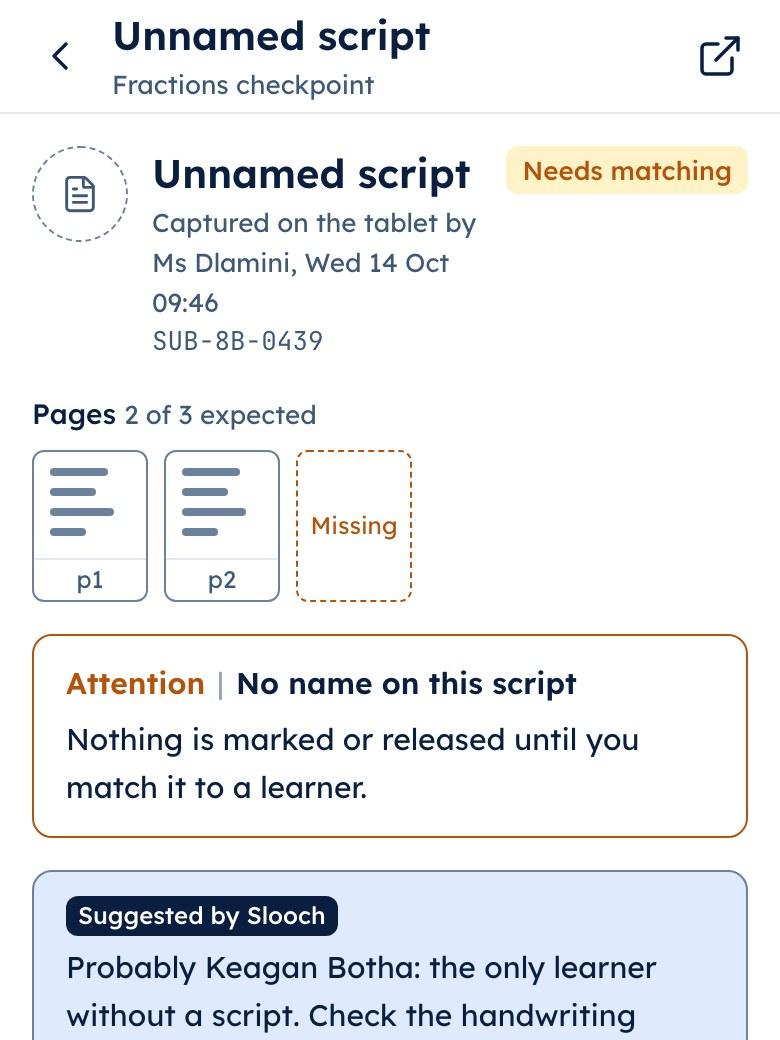
The teacher app showing a photographed test script with two of three pages and the third marked missing

Scanned script

  • Matched to the learner
  • Page 3 missing
  • Paper scripts photographed

    Built
    The teacher photographs each script on a phone. Slooch matches it to the learner and flags a missing or duplicate page before marking starts.
  • Quizzes on the learner's phone

    Built
    The learner answers one question at a time. Closed questions are marked automatically against the memo the teacher approved; open answers wait for the teacher.
  • Who has not handed in

    Built
    The teacher sees who has handed in and who has not, class by class, before the due date passes.

Mark the whole grade by exception

The marking queue holds every assessment in the Mark stage, across the teacher's classes or the whole department.
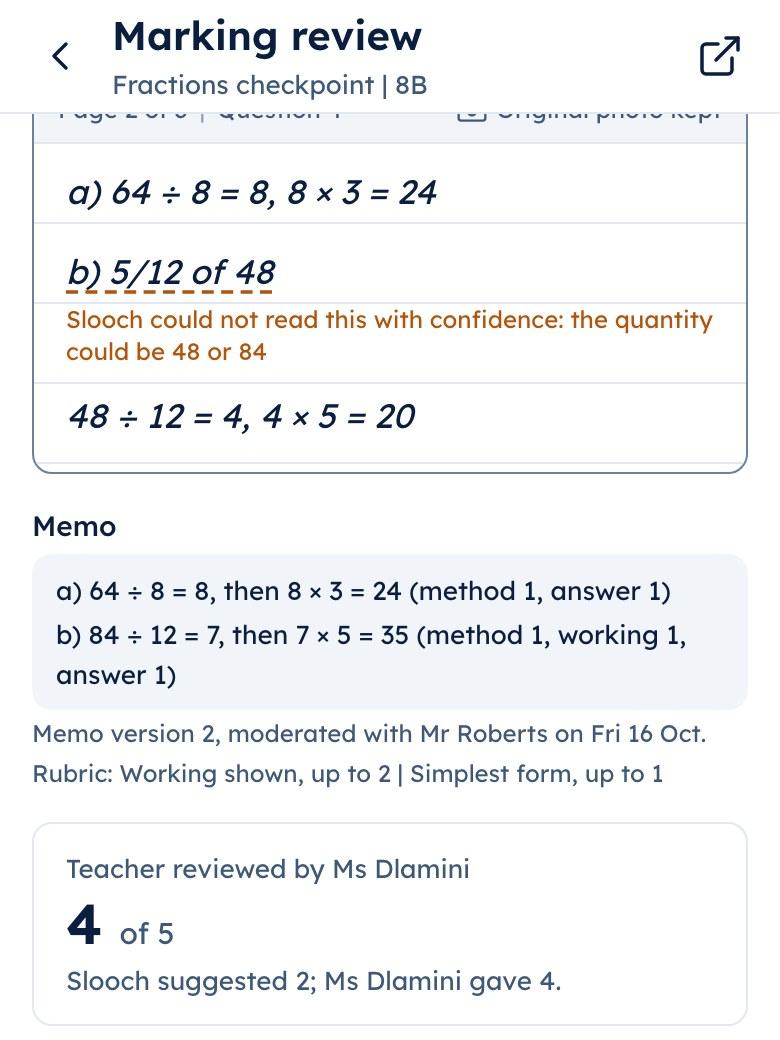
The teacher app's marking review with one mark corrected by the teacher: Slooch suggested 2 of 5 and the teacher gave 4

Question 4

  • Suggested by Slooch: 2 of 5
  • Teacher reviewed: 4 of 5
  • Suggested marks against the memo

    Built
    Slooch suggests a mark for every open answer in the grade. Each one carries the label Suggested by Slooch until the teacher reviews it.
  • Review by exception

    Built
    The teacher starts with the answers Slooch is least sure of and the ones it has flagged, then checks a sample of the rest and approves.
  • One correction, every script

    Built
    When the teacher corrects how a question should be marked, the correction reaches every affected script in the grade, and the queue shows how many changed.
  • Approve every class together

    Built
    Ms Dlamini approves 8A, 8B and 8C in one step once she is satisfied with each.

Moderated, released, on the report

Nothing reaches a learner or a parent until a teacher releases it.
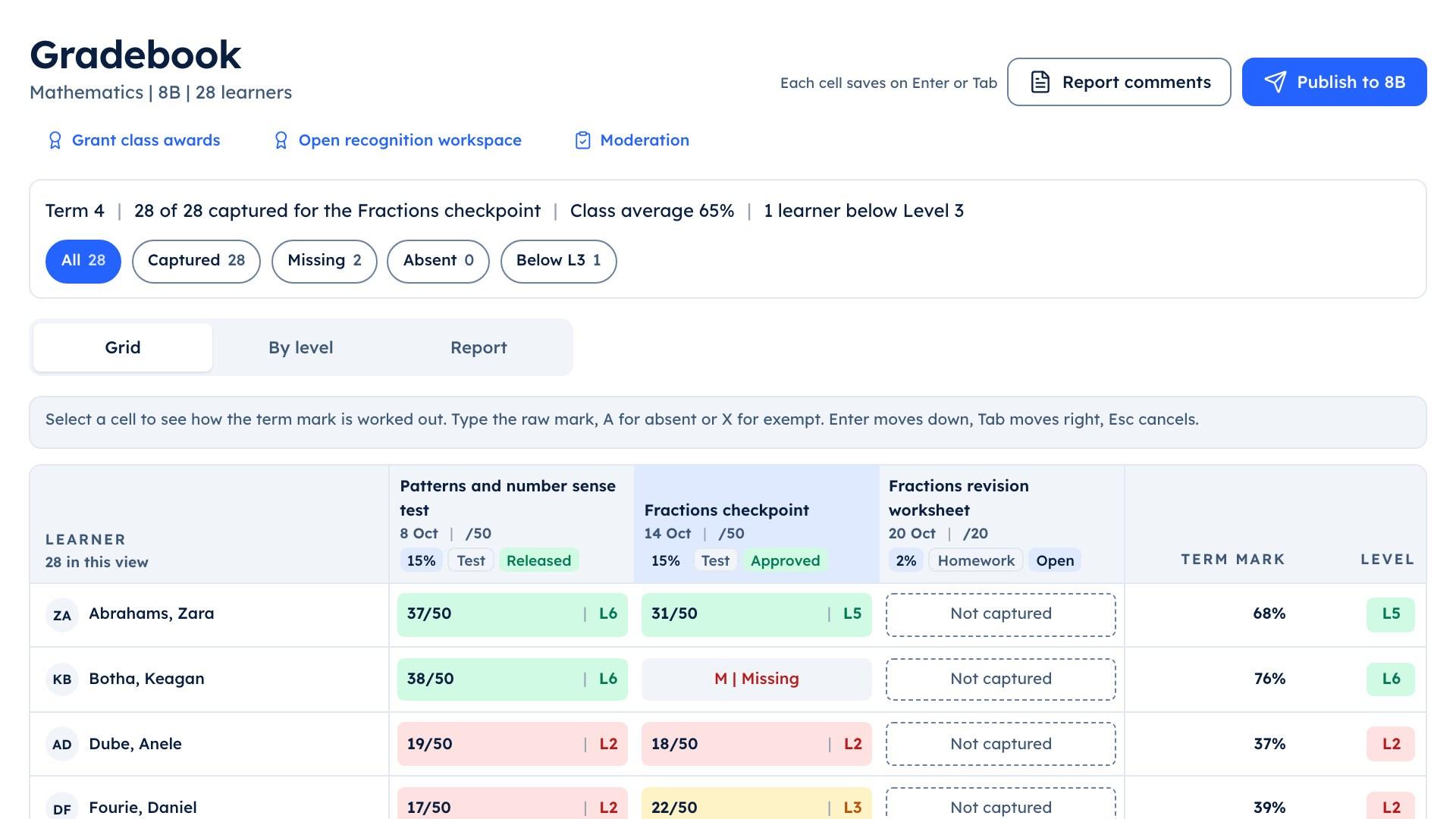
The teacher console's mark schedule for 8B with each test labelled approved or released

8B mark schedule

  • Released
  • Approved, not yet released
  • Moderation and sign-off

    Built
    Where the programme requires it, the head of department moderates a sample and signs off before the marks go out.
  • Release to the grade

    Built
    The teacher releases the marks, and each learner and parent sees them with the teacher's name and comment.
  • The mark schedule and the term report

    Built
    Released marks go into the mark schedule and the term report without being typed again, so reports are not left for the last week of term.
  • Study and support plans

    Built
    Slooch suggests who might need a study plan or a support plan from the results; the teacher decides who gets one.

On the screen

The words on the screen

Every mark carries one of these, so nobody mistakes a suggestion for a result.

Suggested by Slooch
A mark, question or memo line Slooch has proposed. It is hidden from learners and parents until a teacher reviews it.
Marked automatically
A closed question marked against the memo the teacher approved, such as a multiple-choice answer.
Teacher reviewed
The teacher has checked the suggestion, and kept or corrected it.
Awaiting marking
Handed in and waiting for the teacher.
Released
The teacher has given the mark out. Only now does the learner or the parent see it.

How it works

A term of assessments, in order

Step 1 of 7

The teacher console's builder on the questions step, with questions labelled Suggested by Slooch waiting for Ms Dlamini's review

Step 1

The programme sets the term

The deputy and the heads of department place every test on the term's programme, and clashes are moved before anything is set.
Three staff at a table in a book-lined room going over printed sheets, one with a laptop open

Step 2

A test drafted from the topic

Ms Dlamini drafts the Grade 8 fractions test. Slooch suggests the questions and the memo; she reviews each one, swaps two for questions from the bank and sets it.
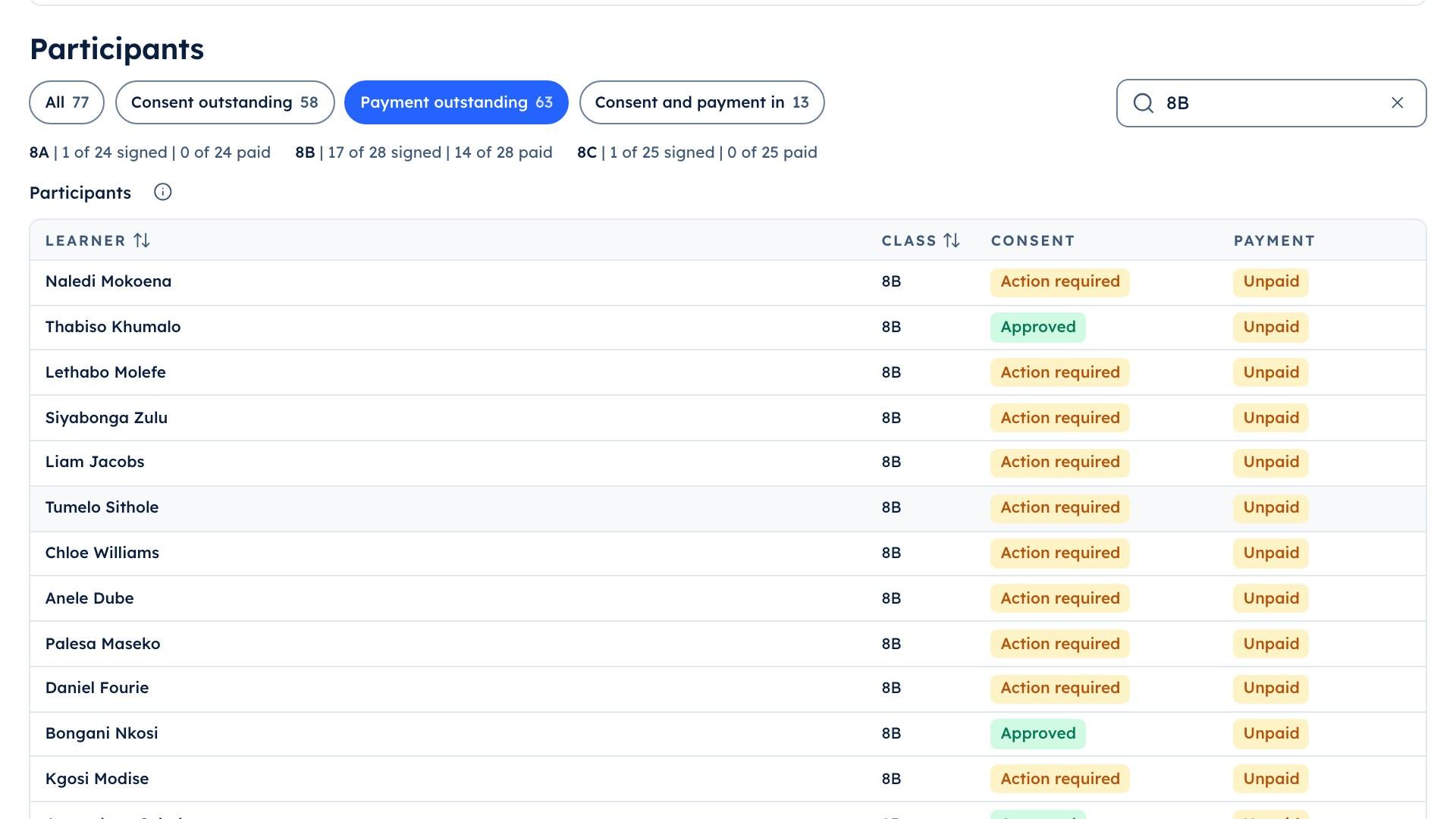
The school portal's trip list for 8B, showing the 14 learners whose trip payment is still outstanding

Step 3

Every class has it

The test is set for 8A, 8B and 8C at once and appears on every learner's list and every parent's list, on paper or on the phone.
Three learners in matching checked uniform pullovers under a tree on the school lawn, looking at one phone together

Step 4

Answers come in

Scripts are photographed and matched to each learner, or answers come in on the phone with the closed questions already marked.
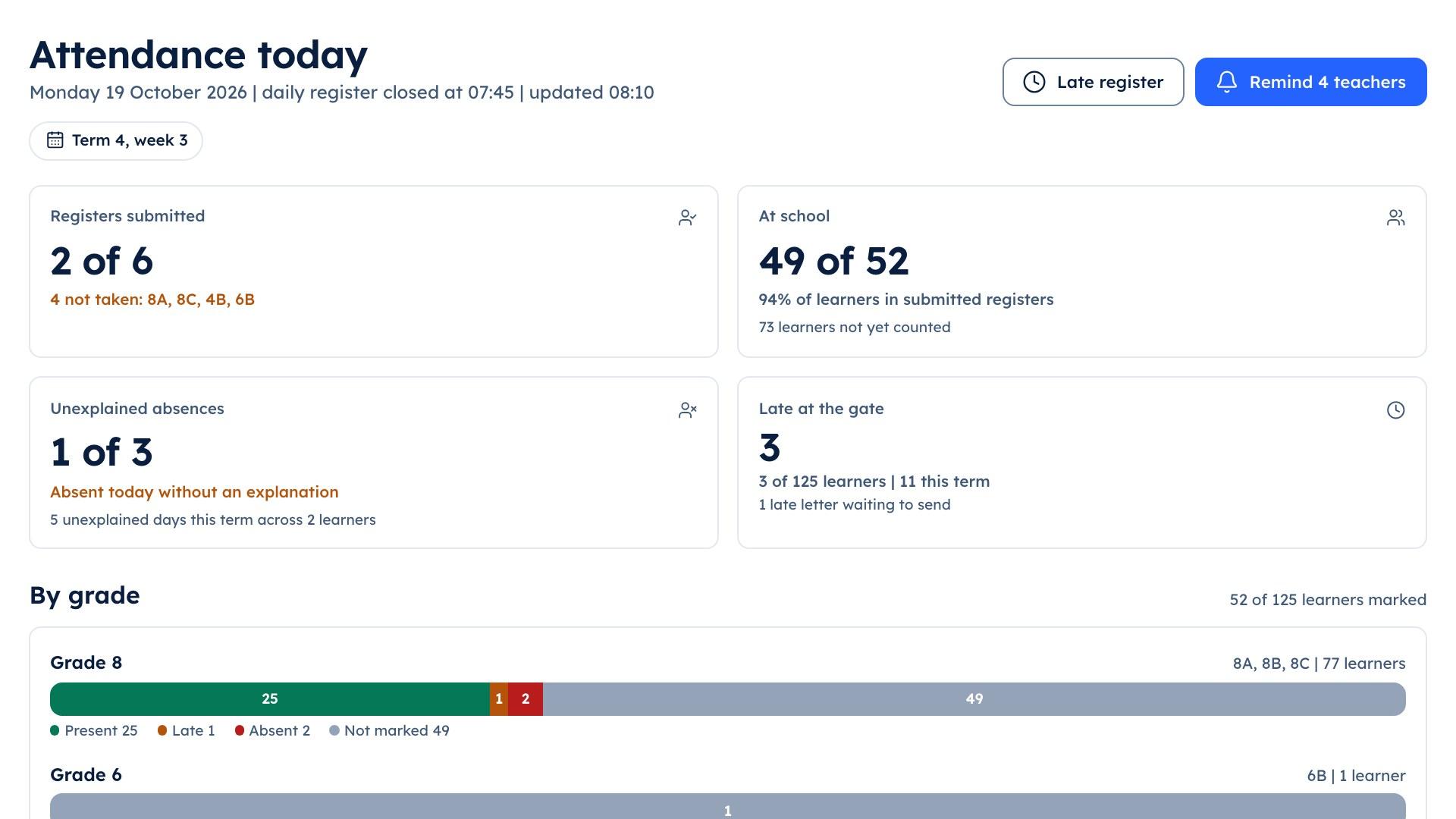
The school portal's attendance screen showing which class registers have been submitted

Step 5

The grade marked by exception

Slooch suggests marks against the memo for the whole grade. Each teacher reviews the flagged answers, corrects what they disagree with and approves.
A receptionist with a tablet talking to a visitor across a clean white front desk

Step 6

Moderated and released

The head of department signs off, and each teacher releases the marks to their class.
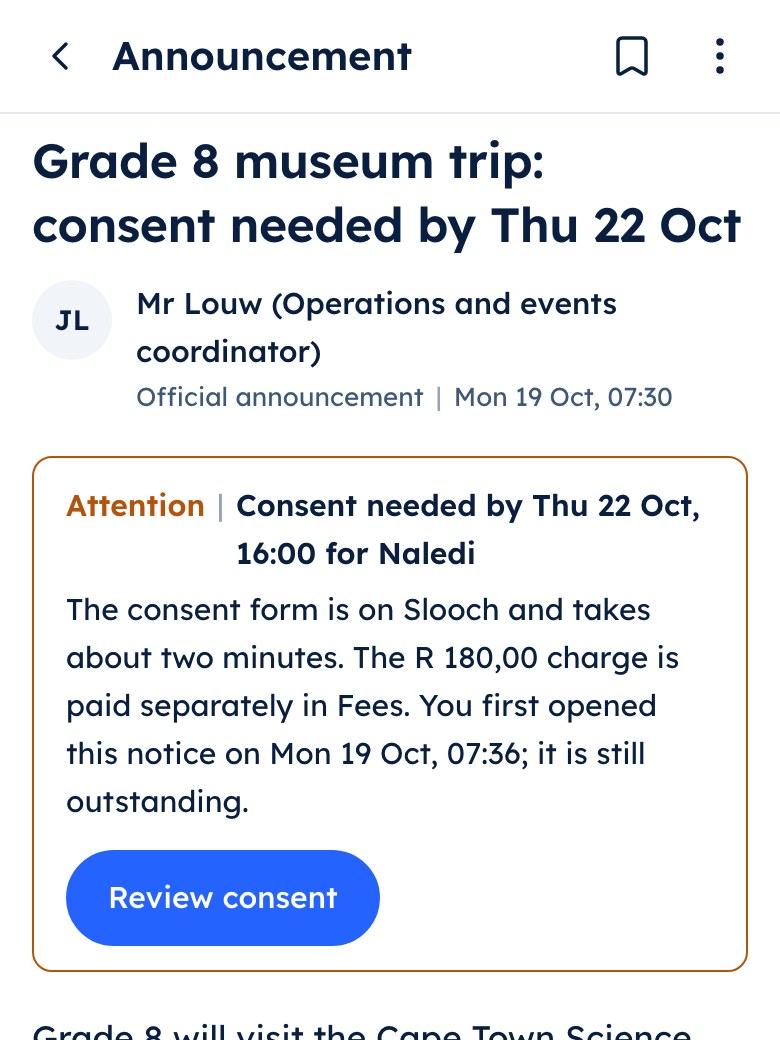
The parent app showing the Grade 8 museum trip notice with a consent form and a charge listed under it

Step 7

Everyone who needs it has it

The learner, the parent, the mark schedule and the term report have the mark, from the one place the teacher entered it.

A school week

Moments from an example school week

The teacher app showing a photographed test script with two of three pages and the third marked missing

Mr Naidoo photographs a stack of Natural Sciences scripts, and Slooch flags a missing page.

Wednesday | Slooch Assessments

An example school week

Questions

Questions heads of academics ask

Does Slooch decide the marks?

No. Slooch suggests marks against the teacher's memo and marks closed questions automatically against it. The teacher reviews, corrects and approves, the head of department moderates where the programme requires it, and the teacher releases. Learner information is never used to train AI.

Can one test go to every class in the grade with different numbers?

Yes. The head of department sets the test for every class at once, and a variant per class can be made with different numbers and the same memo. Each variant is reviewed before it is set.

What happens if Slooch's suggestions are switched off?

Marking carries on by hand. The teacher enters each mark, and every other stage, from the programme to the release, works the same way.