
What Slooch does, job by job
Notices, consent forms, fees, the register, marks, admissions and the timetable, for the office, the teachers, the parents and the learners.
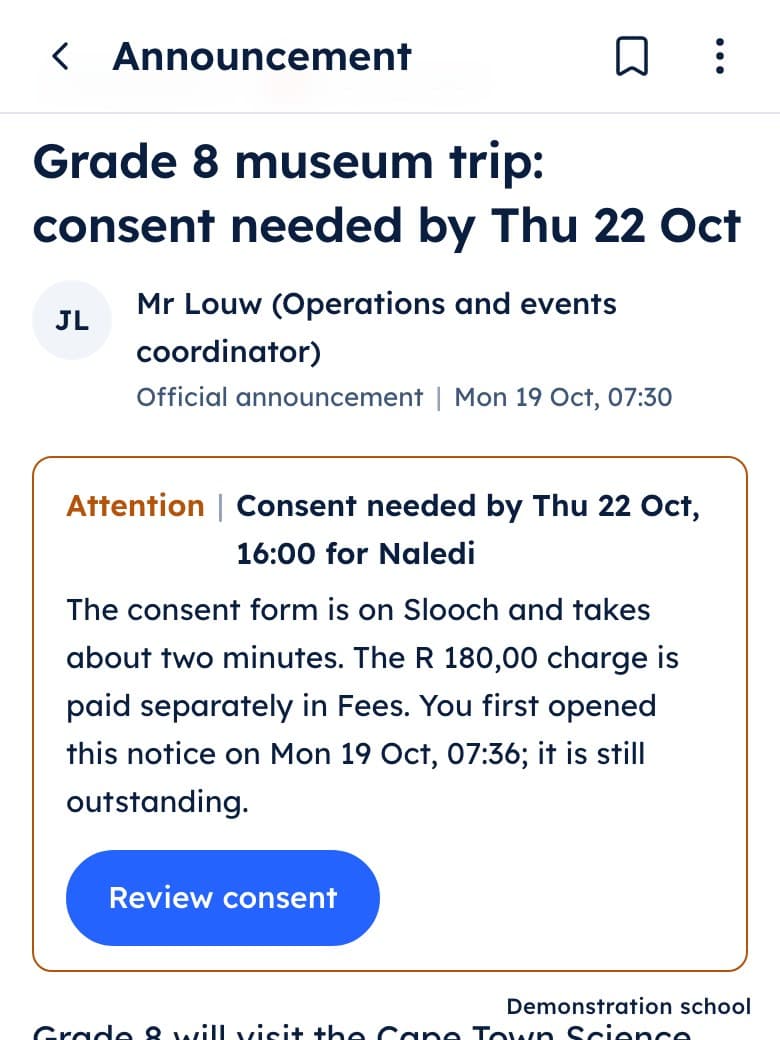
Notices and messages
Each notice says who it is for.
- School, grade and class notices: labelled by who they reach, never by how urgent they look.
- Individual updates: a private note about one child, with nothing sensitive on the lock screen.
- Messages: a conversation with a teacher or the office desk.
- Read and done: the office sees who opened a notice and who has acted on it.
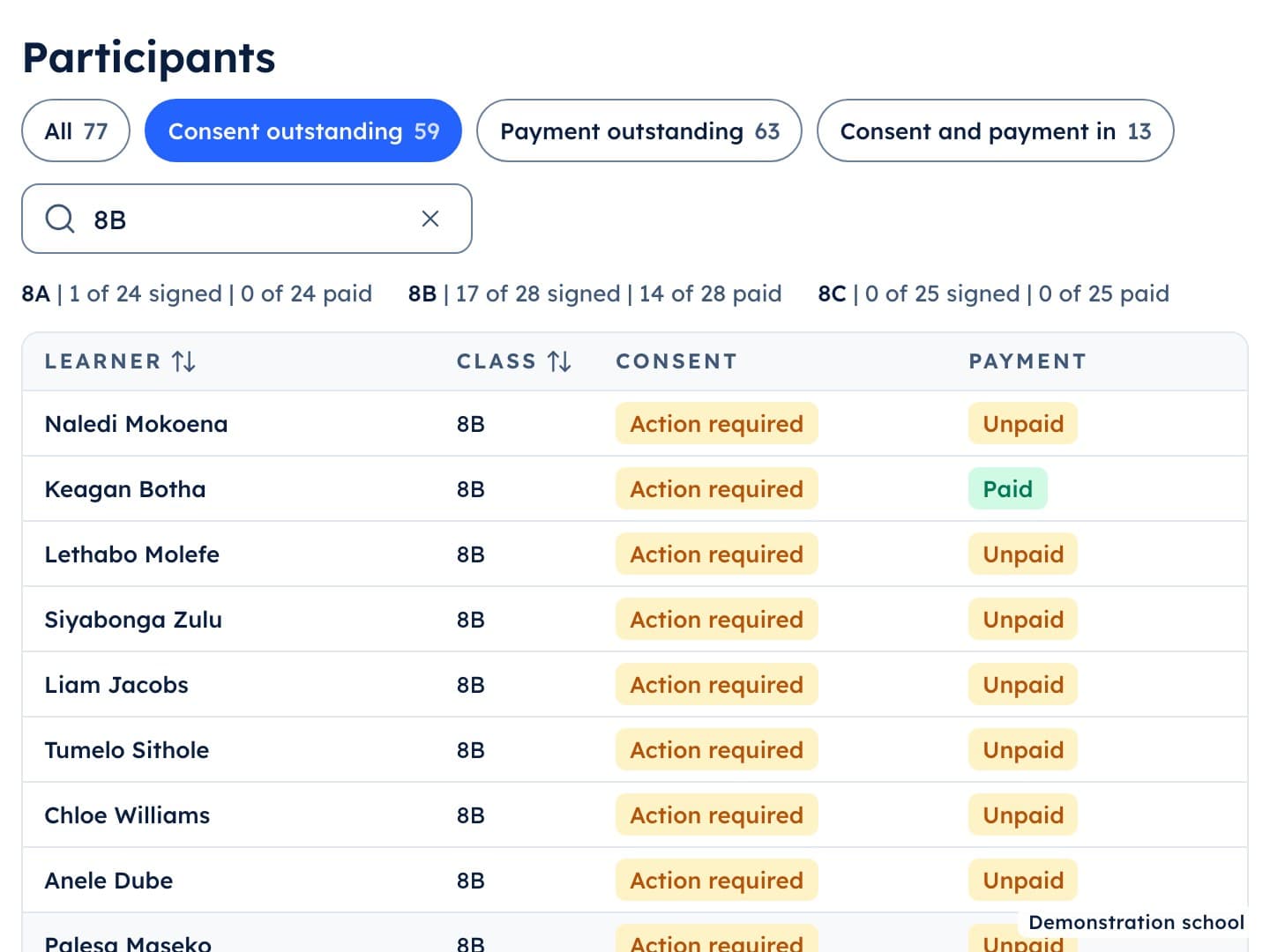
Forms
A form stays on the list until it is submitted.
- Consent forms: attached to the trip notice, signed in the app.
- Reminders to the few: only the families who have not returned it.
- Absence notes: the parent explains an absence or a late arrival.
- Re-enrolment forms: one per child, each year.
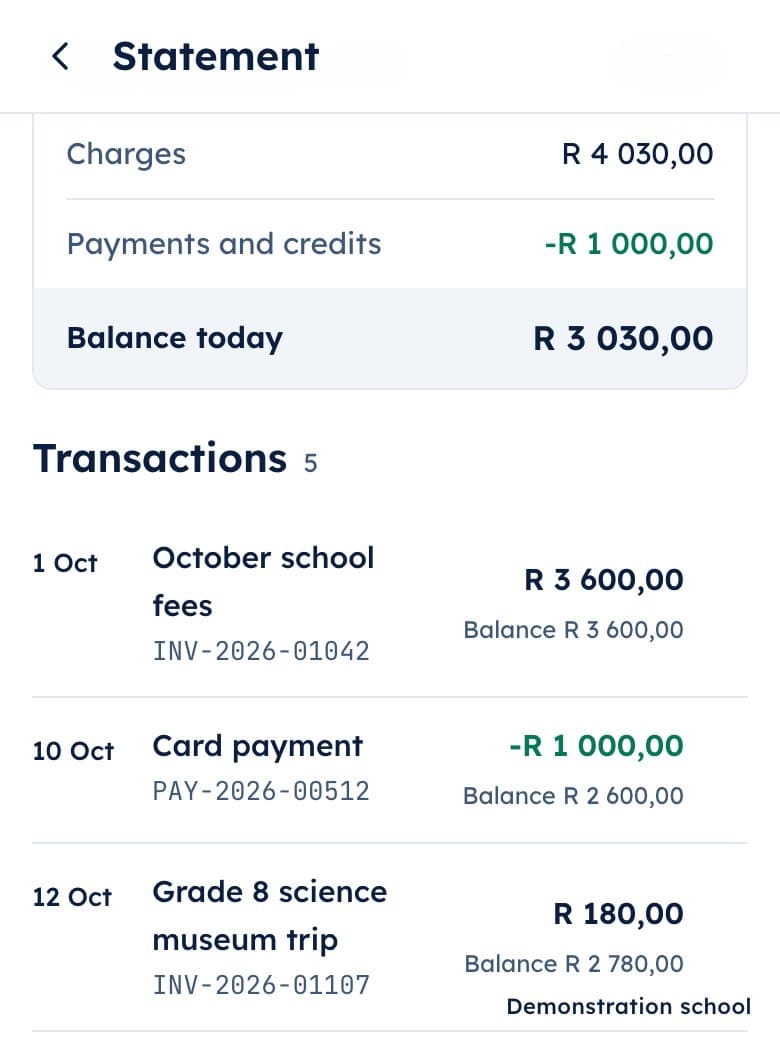
Fees
The bursar enters a payment once; the family's balance changes.
- Charges: school fees, the trip charge, each on its own line.
- Payments: card or EFT, matched to the charge in the office.
- Statements: what is owed, paid and matched, for each family.
- Who still owes: the office's list for any charge, by class.
- Arrangements and bursary applications: asked for in the app, decided by the school.
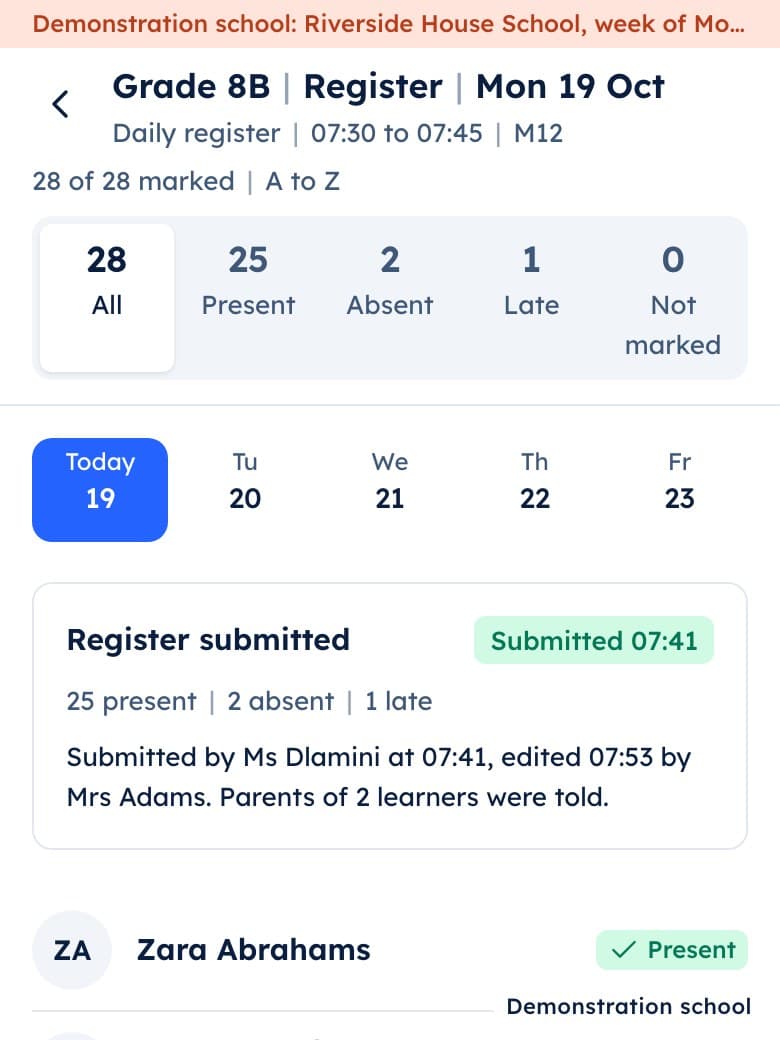
The register
The teacher taps the few who are not here.
- The register (attendance): taken by period, from the phone.
- The office's view: which registers are submitted and which are not yet.
- The parent's view: the child's arrival time, as the register is taken.
- The late register: kept at the gate.
Work and marks
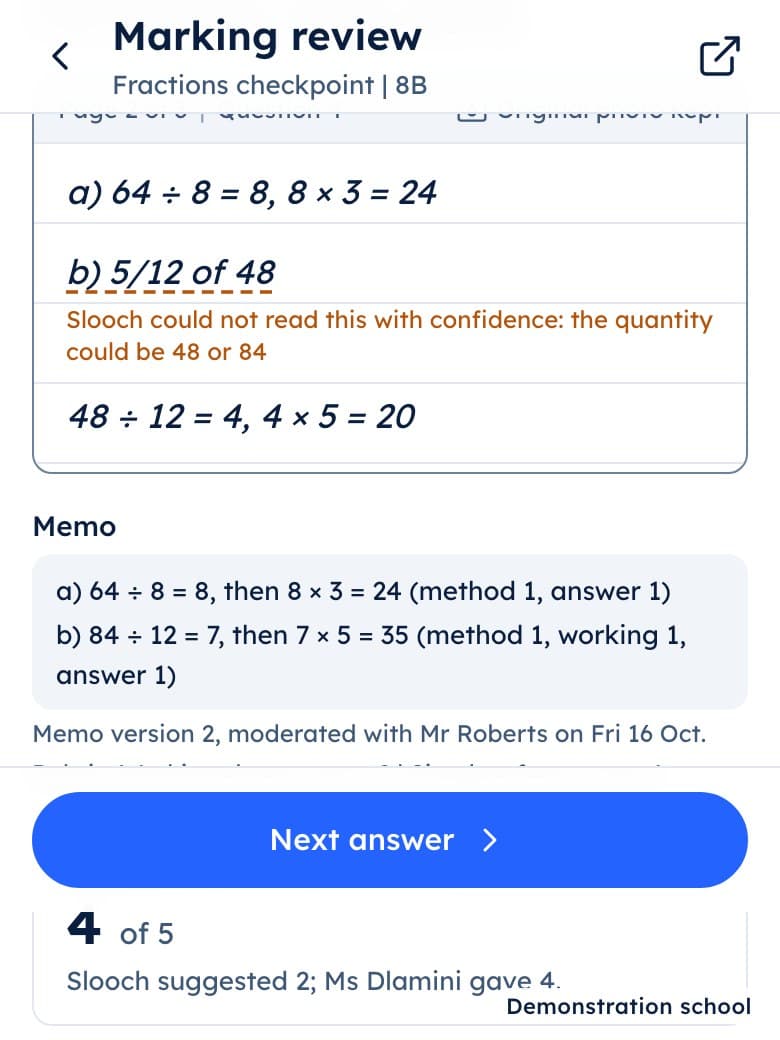
Slooch suggests a mark; the teacher releases it.
- Homework and assessments: set with a due date, handed in from the phone.
- Paper scripts: photographed, with missing pages flagged before marking starts.
- Suggested marks: checked and released by the teacher.
- Feedback and term reports: what the family sees once the teacher releases them.
- Practice and flash quizzes: optional, always below the required work.
- Ask Slooch: a hint, labelled as AI, off during tests.
Admissions and the timetable
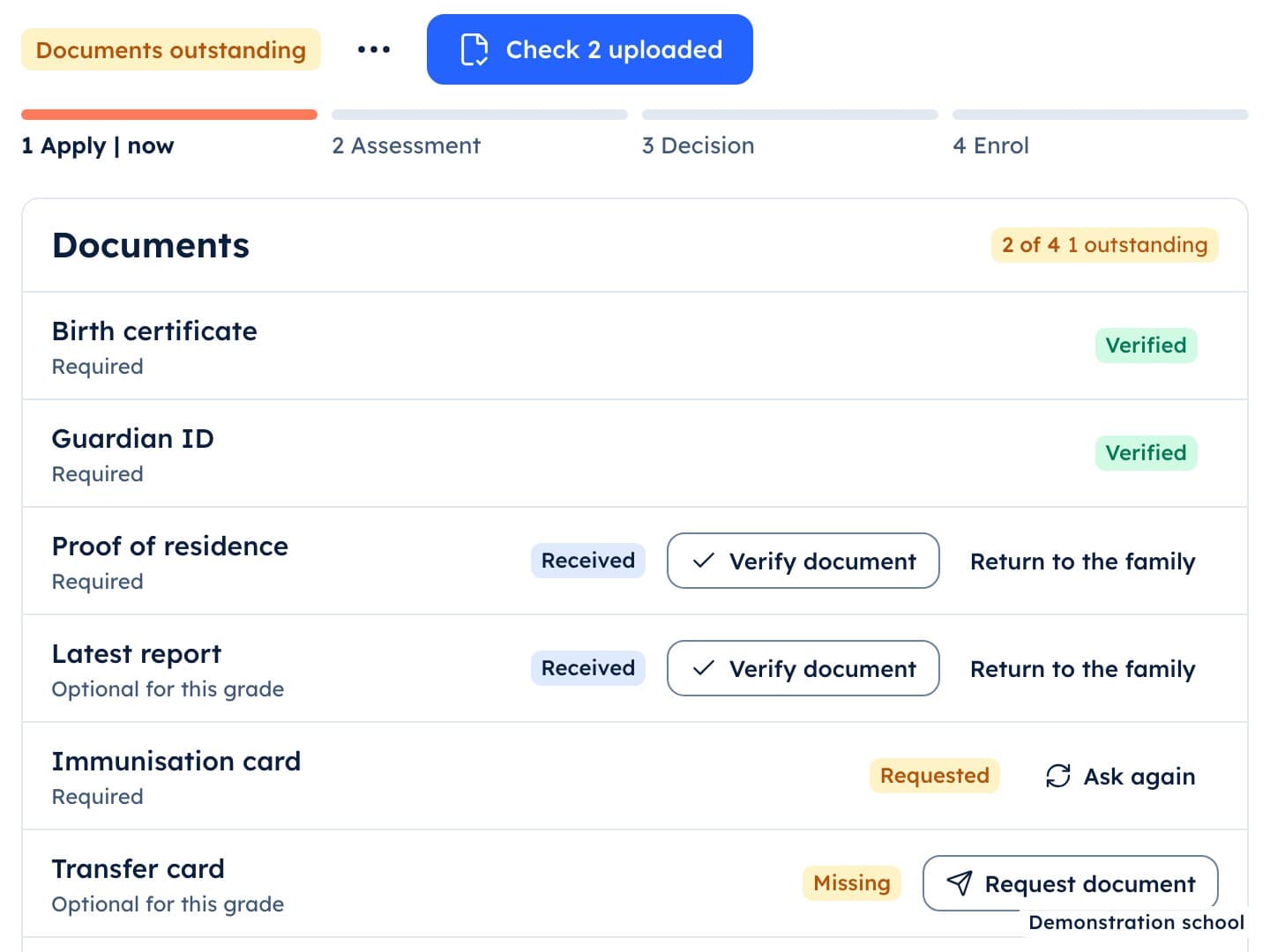
The office runs the year from one portal.
- Enquiries and applications Planned: documents checked, one by one.
- Re-enrolment Planned: who is returning next year.
- The timetable Planned: built by a solver, adjusted by the school.
- Cover Planned: who takes the class today.
Who sees what
The office
Sees who has read each notice, who has signed each form and who still owes each charge.
Teachers
See their classes, the register and the work to mark; a mark reaches a family only when the teacher releases it.
Parents
See what the school needs from them for each child: notices, forms, fees and released marks.
Learners
See their day, their work and their released marks, with required work above optional practice.
Questions schools ask
- What does Slooch cost?
- Slooch is licensed to the school, with every part included, and families never pay for the school's use of it. We talk about school pricing after the walkthrough, once you have seen Slooch with your own school's week. See school pricing
- What does Slooch take over?
- Parent-communication apps and bulk SMS, paper and online forms, and the spreadsheets for registers, mark schedules, report compiling and fee tracking. Slooch starts alongside what you use today and takes over a system only when you are ready. See what moves where
- Who approves what Slooch suggests?
- A named person at the school approves anything Slooch suggests. Slooch suggests a mark; the teacher checks it and releases it.
- Where does the data live?
- Live schools are hosted in South Africa. The school is the responsible party and signs an operator agreement before any learner or family information is loaded. There is no AI training on learner information. Read the operator agreement summary
- How does a pilot start?
- With a 45-minute walkthrough for your principal, a teacher and the office. The school sends its lists and sets its terms and bell times, then one grade uses Slooch for a term while everything else stays as it is. At the end of the term the school decides: continue, add a grade at a time, or stop and take its data with it. See what a pilot includes

Become a Slooch school.
Book a 45-minute walkthrough. We show your principal, a teacher and the office one school week on Slooch, from the trip notice on Monday to the marks on Friday, and answer whatever you ask.